

A streaming-friendly internet plan doesn't have to come with an annual contract or a data cap. AT&T Fiber plans for TV streaming include unlimited data and are offered without an annual internet contract. Speeds range from 300 Mbps to 5 Gbps, so there are options for different household streaming needs through Internet and Wireless Deals.
It makes sense to look beyond the plan name: the right speed depends on how many people stream at once and what they watch. This guide explains how AT&T fiber plans for TV streaming can support simultaneous viewing, what to consider about costs, and how contracts and data work. You’ll also learn how to match a plan to your household’s viewing habits and what to weigh before choosing.
Key Takeaways
- Find out why address-level availability determines which fiber speed tiers you can choose.
- Match your plan to the number of people streaming and the video quality they use at the same time.
- Learn what to look for in promotional pricing, eligible discounts, and billing terms.
- Understand how home internet supports TV streaming and what AT&T bundles do and don’t include.
Eligibility and service availability
Fiber availability depends on the exact service address, not just the city or ZIP code. Coverage varies across the United States, and nearby homes can have different options. A network may reach one street without covering the next. Enter the complete installation address, including apartment or unit details, to see which speed tiers are available there.
Speed options also depend on local network coverage. AT&T Fiber plans range from 300 Mbps to 5 Gbps, but hyper-gig speeds are limited to select areas. A household may qualify for fiber without qualifying for every tier. For example, an address could have access to a lower speed while a higher tier is unavailable. Choose from the options listed for the service address, rather than assuming nearby availability applies.
Regional sports network access is separate from fiber eligibility. Fiber provides the home’s internet connection; it doesn’t determine which regional sports channels a streaming TV service carries. Channel access can depend on the viewer’s location and the TV service’s regional rights. For example, households in different markets may see different local sports coverage through the same streaming service. Review the service’s channel lineup for your market before choosing it to watch a team’s games.
Consider internet access and channel access separately. First, identify which fiber tiers reach the address. Then review the streaming TV service’s lineup for the local regional sports network. AT&T internet and wireless bundles don’t include TV service, so a bundle doesn’t guarantee access to live channels. A fast connection can support streaming, while the selected TV service determines whether a particular network is available. Check the exact location for both decisions, since fiber coverage and regional channel rights vary by location.
Internet speed suitability for simultaneous streams
Streaming performance depends on speed, device connection, and household activity. Compare the tiers available at your address with how your home streams before choosing a plan.
Fiber Speed Tiers and Monthly Prices
AT&T Fiber tiers range from 300 Mbps to 5 Gbps, including Internet 500 and Internet 1000. Monthly pricing varies by tier and eligible discounts, so consider the speed available for your address alongside the offer terms. AT&T Fiber provides nearly equal upload and download speeds. On 5-Gig service, the maximum wired speed to one device is 4.7 Gbps. Explore AT&T Fiber plan options to compare tiers.
Fiber and cable can both deliver streaming TV over an internet connection. AT&T Fiber provides nearly equal upload and download speeds, while cable performance varies by plan. Compare the speeds offered at your address and your household’s needs. That comparison can help you decide which AT&T fiber plans for TV streaming fit your setup.
Bandwidth for Simultaneous Streams
Choose a tier by counting simultaneous streams, then consider gaming, browsing, and remote work. Several HD streams alongside a video call use more of the connection than one show on one screen. A faster tier gives connected devices more room to share the connection, especially during busy evening hours. Compare AT&T fiber plans for TV streaming with your household’s usual mix of simultaneous activities.
To set up streaming TV, connect a smart TV or streaming device to the Wi-Fi gateway, open the streaming app, and sign in. Then start a program and add other household streams to see how the connection handles normal use. AT&T Fiber includes a Wi-Fi gateway at no extra cost.
Network Limits and Streaming Reliability
If video buffers, pause other high-bandwidth activity and move the device closer to the gateway. Restart the streaming app, then test another device to see whether the issue affects one screen or the whole home. A wired connection can help distinguish a Wi-Fi problem from a broader connection issue.
AT&T Internet Air uses a wireless network. In rare cases, AT&T may greatly reduce speeds for at least 30 minutes when a customer’s usage contributes to network congestion. Bundled internet and wireless remain on separate bills, so customers should expect separate statements.
Price guarantees, contracts, and data caps
AT&T Fiber has no annual contracts and includes unlimited data. That lets streaming households watch across multiple devices without reaching a monthly data allowance. Unlimited data doesn’t mean every service feature is included, though. Internet access and streaming TV subscriptions are separate, so account for both when planning household entertainment costs.
Promotional pricing and discounts can affect the amount shown on a bill. Eligible wireless and AutoPay discounts may take up to 2 billing cycles to appear. Build that timing into your budget rather than assuming every discount will show on the first statement. Before enrolling, review the plan’s current monthly rate, the promotion’s eligibility terms, and how long any promotional rate lasts. These details determine what you pay over time; a no-contract plan doesn’t itself guarantee a fixed price.
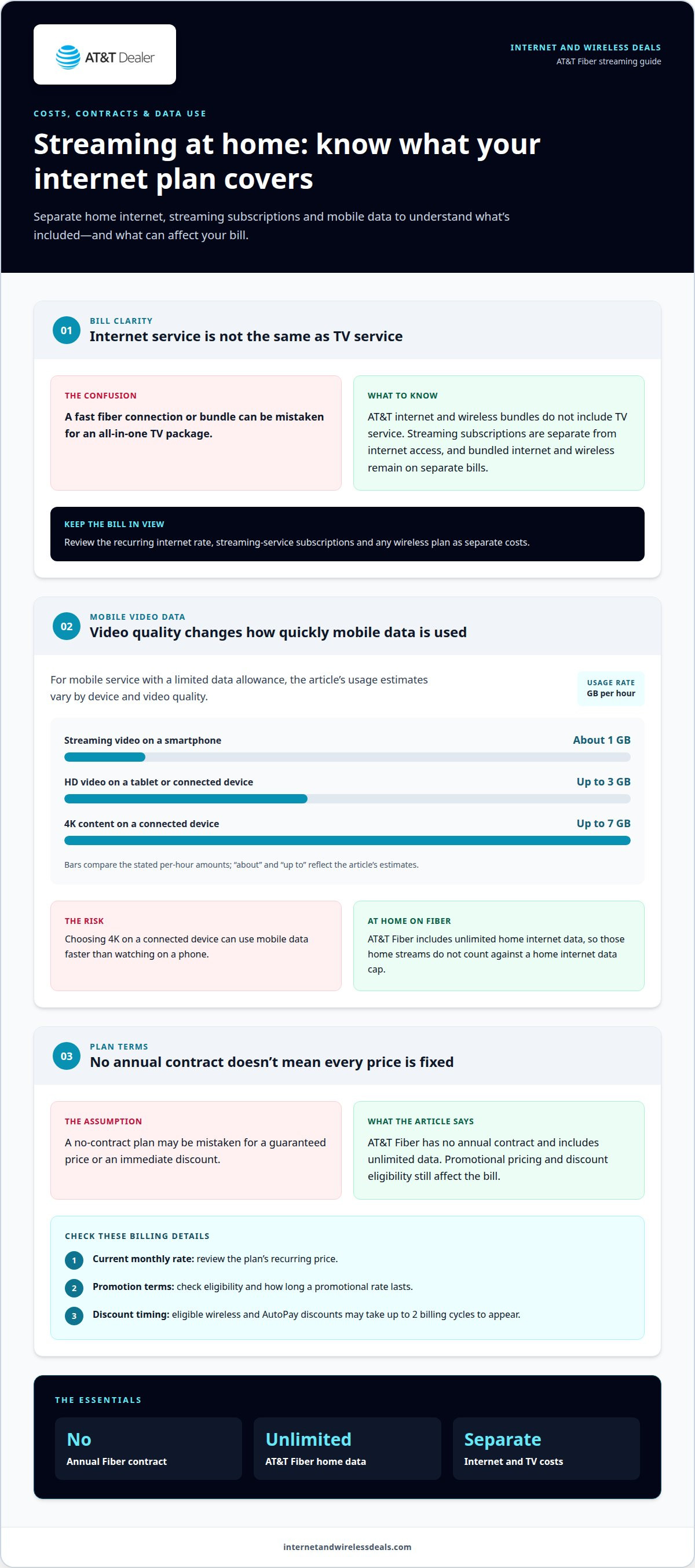
Data use still matters if you stream on mobile service with a limited data allowance. Streaming video on a smartphone uses about 1 GB per hour. HD video on a tablet or connected device can use up to 3 GB per hour, while 4K content can use up to 7 GB per hour. For example, choosing 4K on a connected device can use data faster than watching on a phone. AT&T Fiber’s unlimited home internet data keeps those streams from counting against a home internet data cap.
To evaluate the bill, separate internet charges from streaming-service subscriptions and any wireless plan. Check the recurring plan rate and discount conditions together, then note when eligible savings are expected to appear. AT&T Fiber and AT&T Internet Air don’t require an annual internet contract, but that doesn’t make their network performance or plan features identical. Match the service terms to where you stream, which devices you use, and whether viewing happens mostly at home or on mobile data. That simple review clarifies both contract flexibility and data use before you choose.
AT&T Fiber plan prices and speed tiers
AT&T Fiber spans four named tiers: Internet 300, Internet 500, Internet 1000, and Internet 5000. Their numbers indicate speed levels, from 300 Mbps through 5 Gbps. Higher tiers provide more capacity for households running several demanding activities. The right fit depends on the number of simultaneous streams and other internet use.
Monthly pricing varies by selected tier, service address, and eligible discounts. New customers may qualify for promotional rates on Internet 300, 500, 1000, and 5000 for 12 months, after eligible wireless, AutoPay, and paperless-billing discounts. The price depends on the case and is given after a quote request; the relevant factors include the address, speed tier, and discount eligibility.
Compare the advertised offer with its conditions and duration before choosing. A promotional rate tied to eligible discounts may differ from the amount without those discounts. AT&T says wireless and AutoPay discounts may take up to 2 billing cycles to appear, so the first statements might not show every eligible reduction. Keep that timing in mind when assessing the recurring bill.
For a household with a few active screens, start by considering Internet 300 or Internet 500. Add home activities such as video calls, gaming, and large downloads to the same decision. Internet 1000 or Internet 5000 offers more speed capacity for heavier concurrent use, but the highest tier only makes sense when the household can use that added capacity. Check which tiers serve your address, then weigh the speed against your typical evening activity and eligible offer terms. Choose the available tier that fits your devices and budget, rather than paying for speed your household rarely uses. Review the AT&T Fiber options available for your home and compare their speed levels and promotional conditions before deciding.
Internet and Wireless Deals: AT&T Fiber Internet
Internet and Wireless Deals helps you explore AT&T Fiber Internet options for home streaming. It’s a practical next step after identifying the speeds your household needs and understanding how promotional terms affect your choice.
Compare available fiber tiers and check address availability. If you’re also considering wireless service, explore AT&T Wireless Plans alongside home internet. Streaming TV subscriptions remain separate from internet service, so choose the TV platform and channels that suit your household.
Internet and Wireless Deals also provides information about AT&T Internet Air and 5G Smartphones. Focus on the service that matches your immediate need, whether that’s fiber for home streaming or a different connectivity option.
Explore AT&T Fiber Internet options and check availability for your home with Internet and Wireless Deals.
Make Your Streaming Setup Work for You
Your viewing habits can change as rooms, devices, and household routines shift. Treat choosing among AT&T fiber plans for TV streaming as part of a setup you can reassess, rather than a decision based only on today’s screen count. Consider where people watch, which devices they use, and what else runs online during viewing. This helps you focus on your household’s actual needs.
Before choosing, decide what matters most: supporting several viewers, keeping everyday online activities running alongside shows, or leaving room for future changes. Keep internet service and streaming content as separate decisions. The connection carries the stream; the TV streaming service determines what you can watch. This distinction helps you plan your home entertainment setup without expecting an internet plan to include TV channels.
For help exploring your next connectivity step, contact Internet and Wireless Deals. Choose a setup that fits how your household watches, and enjoy making your home streaming-ready.
Frequently Asked Questions
Does AT&T Fiber require a contract or have data limits?
No. AT&T Fiber has no annual contracts and includes unlimited data. That applies to home internet use, not necessarily to a separate wireless plan’s data allowance. If you watch on a phone away from home, check how your wireless plan handles video use. At home, multiple connected devices can stream without reaching a capped fiber data allowance.
Frequently asked questions?
For a quick decision, focus on three details: which internet tier reaches your address, how many screens stream at once, and which TV service carries the channels you want. Then review the plan terms and any discount conditions. Keeping internet access, streaming subscriptions, and channel availability separate helps prevent choosing a connection based on TV features it doesn’t provide.
How does AT&T Fiber make your TV experience better?
AT&T Fiber can provide the internet connection that streaming apps use to deliver shows to your TV. Its speed tiers give households options for handling viewing alongside activities like video calls or downloads. For example, consider a home where one person streams while another joins a work meeting. Select a tier with the household’s combined online activity in mind.
How much does AT&T Fiber cost per month?
Monthly cost varies by speed tier, service address, and eligible discounts. Compare the recurring rate with the promotion’s terms, including whether savings depend on eligible wireless service, AutoPay, or paperless billing. Those conditions affect the amount due, while the tier determines the internet speed selected. Pricing and promotions change fast, so review the offer details when choosing a plan.
What counts as an AT&T bundle now?
An eligible AT&T bundle can combine home internet with AT&T Wireless service. The internet and wireless services continue to appear on separate statements, so bundling doesn’t mean one combined bill. For example, a household could pair home internet with eligible wireless service while keeping track of each statement separately. A bundle is about connectivity services, not a television package.
Does AT&T Fiber include TV channels or a TV streaming service?
No. AT&T Fiber provides internet access, not TV channels or a TV streaming subscription. You can use the connection to stream through a separate service on a compatible TV or device. That service determines its channel lineup, including whether it carries regional sports networks in your area. Choose internet and television services as separate parts of your home entertainment setup.


